Scheduling and management for guided jet-ski operators
WavePlanner brings the daily operation of a guided jet-ski business into one schedule. Plan introductory sessions and tours, assign available equipment, organise instructor groups and track recorded payments. Created by a working jet-ski instructor.
Private beta · invitation only · no public registration
Keep the working day connected
Scattered booking details
A phone request, a changed departure time and a payment note need to reach the same team before the group arrives.
A time slot is only part of the picture
Check the jet skis, instructors, activity duration and turnaround time before confirming a departure.
A day to reconcile
Separate records for payments and fuel make it harder to review what happened during the shift.
From departure planning to the end-of-day review
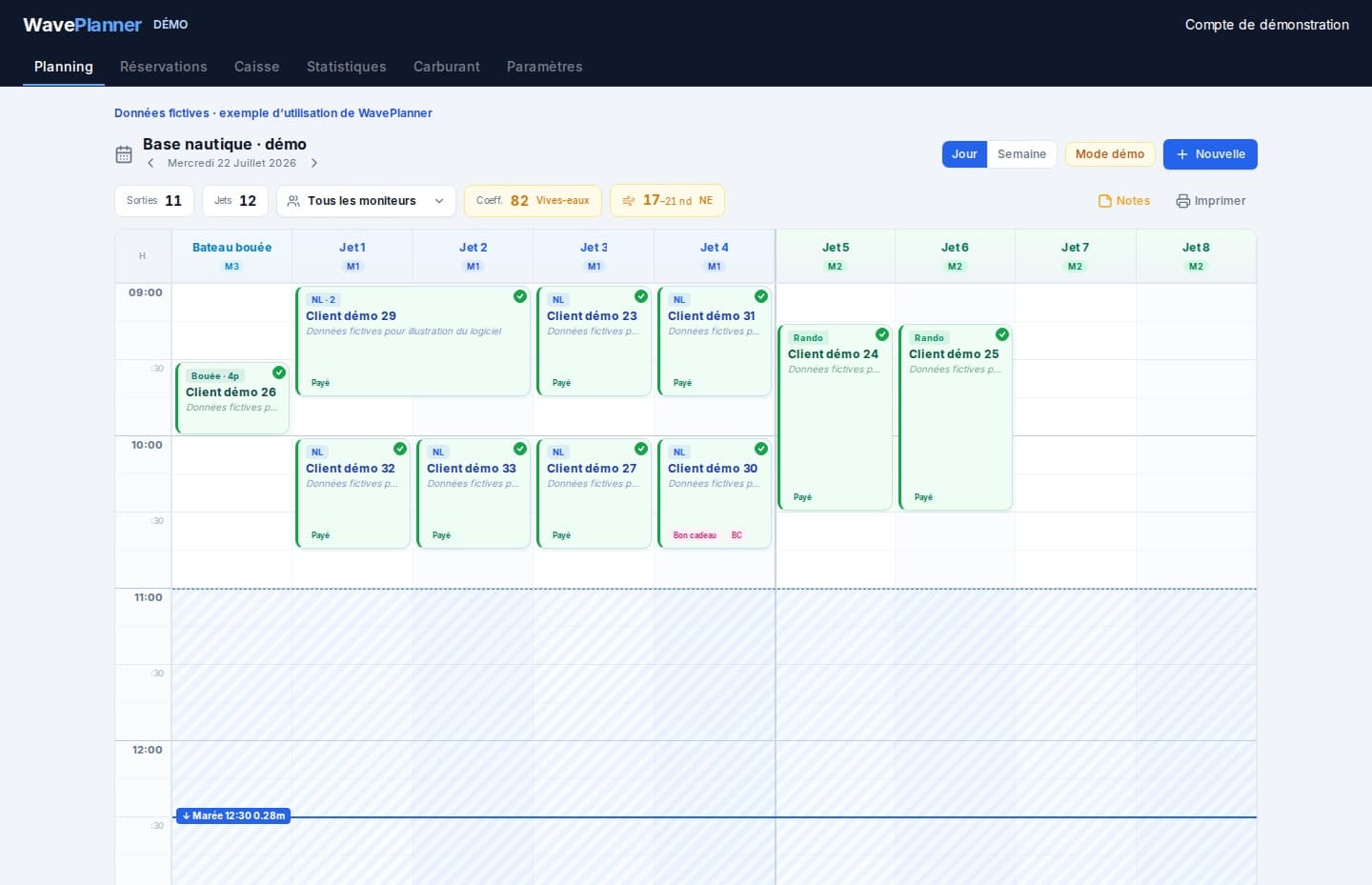
Daily and weekly scheduling
See outings, durations and assigned equipment on the same schedule. Review changes before confirming them to customers.
Instructor groups
Plan using the groups and resources configured for your operation. Your own operating rules remain the basis for capacity decisions.
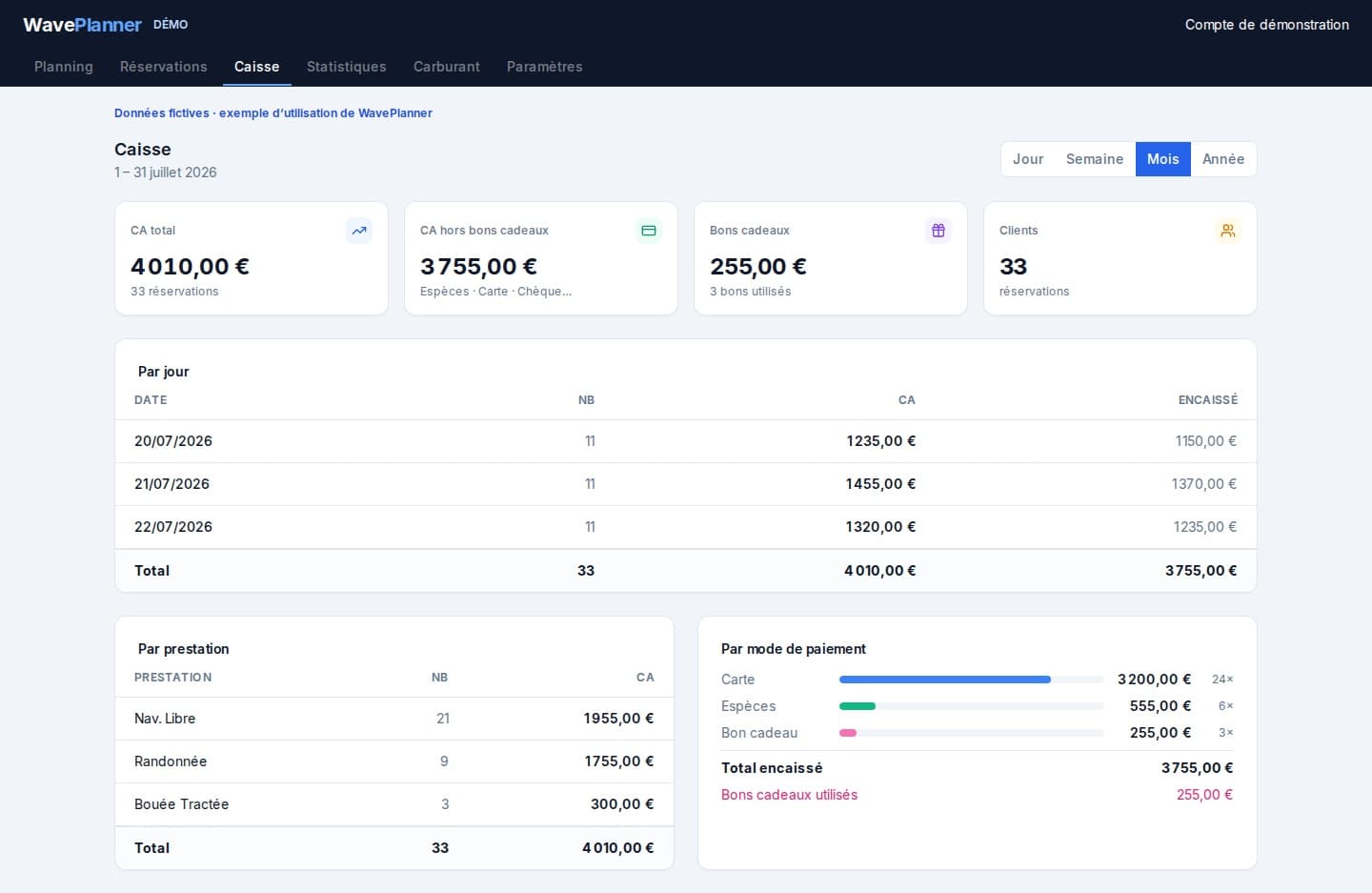
Payment tracking
Recorded payments feed checkout totals and CSV exports to help reconcile your records.
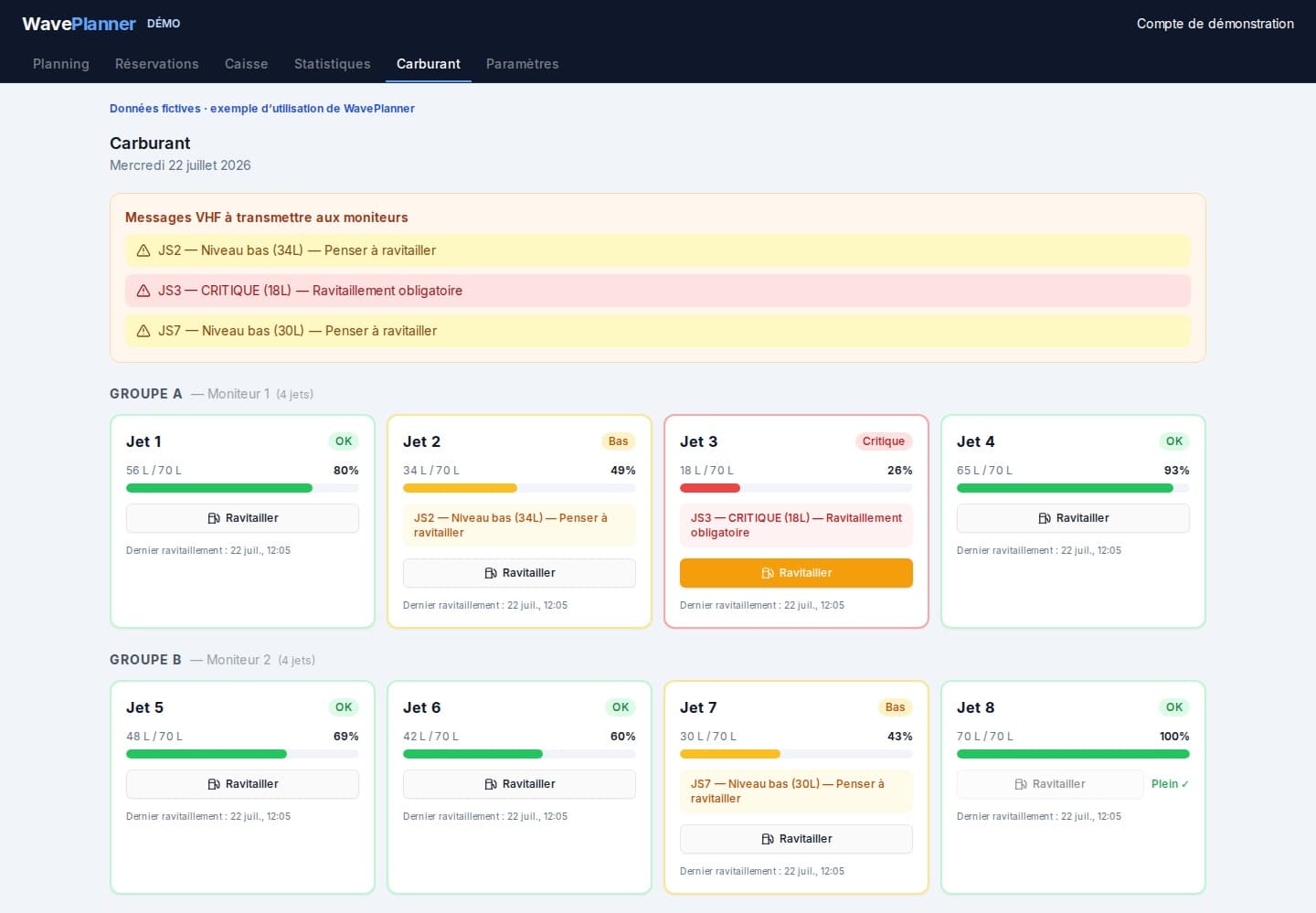
Estimated fuel levels
Configured consumption and recorded refuels provide an estimate per jet ski, not a connected fuel gauge.
Tides where relevant
Configure low-tide windows for affected activities. The displayed tide coefficient is indicative.
Customer history
Find previous outings and contact details when preparing a repeat booking.
A guided operation from opening to close
Use a representative day to evaluate the fit before changing your team's routine.
Prepare resources
Set activities, durations, jet skis, instructor groups and turnaround times.
Place bookings
Check the resources needed throughout the outing, not just at departure.
Share the schedule
Use team roles and a connection to keep devices up to date.
Review the shift
Record payments and refuels, then compare the totals with your own records.
Prepare your access
Describe your operation
Tell us about your guided activities and organisation to discuss private beta access.
Confirm the scope
Check current features and conditions before preparing your configuration.
Test a representative day
Once invited, use your real activities and resources to evaluate the workflow.
Private beta conditions
Access is limited to invited operators. Review the displayed pricing and confirm the available scope for your operation before committing.
View pricing and conditions →Frequently asked questions
Is this software mainly for self-drive rentals?
No. WavePlanner focuses on guided activities. This existing URL is retained, but the product is designed around instructors, groups and departures.
Does it replace an ordinary calendar?
It adds links between times, equipment, instructor groups, activity durations and recorded payments. Evaluate those checks against your actual operation.
What is available during the private beta?
Access is by invitation. Public online booking is limited to an authorised pilot, not generally available to every operator. Automatic attendance SMS reminders are paused. A connection is needed to synchronise devices.
See also
Tell us how your guided jet-ski operation works
Private beta · invitation only · no public registration