Management software for guided watersports centres
If your centre combines guided jet-ski outings with complementary watersports, your schedule needs to show which activities use each resource. WavePlanner brings departures, instructor groups and equipment together with payment tracking and tides where relevant.
Private beta · invitation only · no public registration
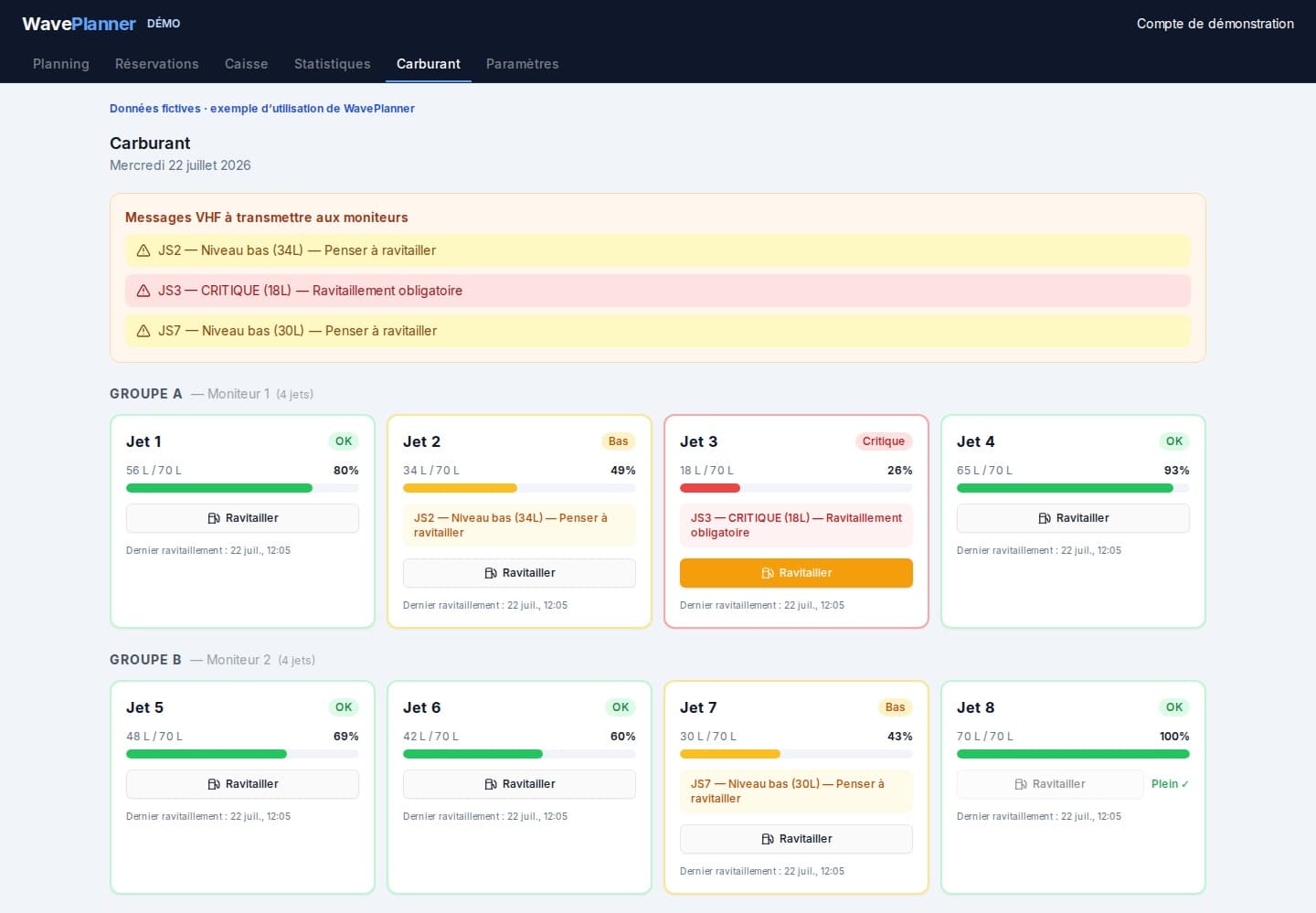
These product screenshots show a French-language demo with sample data, not a customer case study. They illustrate scheduling, recorded payments and estimated fuel levels. Current access is by invitation, not a public registration offer.
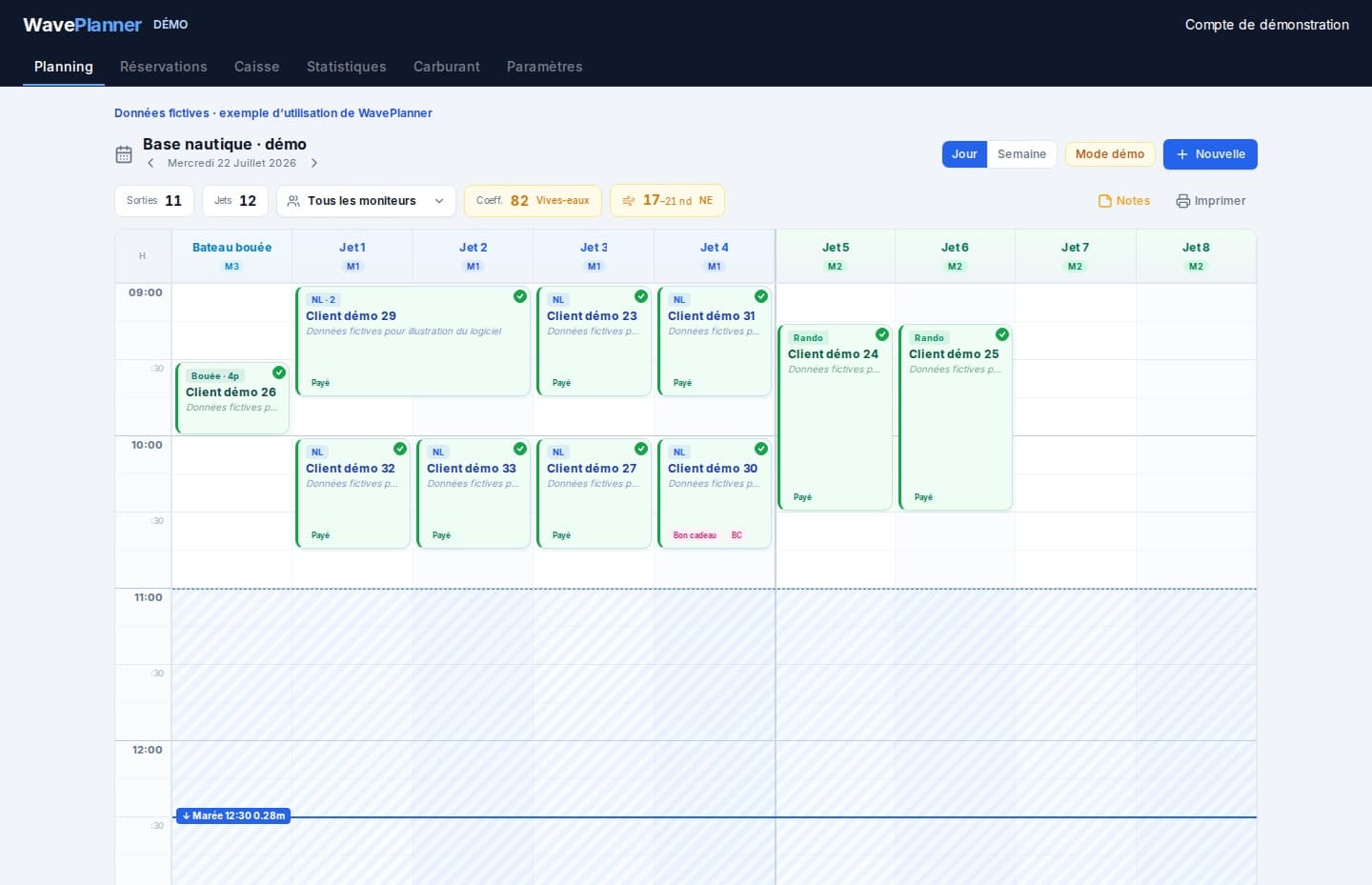
Coordinate several activities in one day
Shared equipment
A towed activity and another outing may need the same boat or instructor.
Different constraints
Activities can have different durations and operating requirements. Tide restrictions may affect only some of them.
Separate end-of-day records
When activities keep separate notes, payments and bookings take more work to reconcile.
A schedule for complementary guided activities
Activity-specific planning
Use distinct durations, prices and colours without losing the shared view of the day.
Team roles
Organise configured instructor groups and give team members appropriate access.
Boats and jet skis
Review the equipment needed for each activity and check conflicts before confirmation.
Configurable tide windows
Apply low-tide restrictions only where appropriate for the location and activity. The coefficient remains indicative.
Payment records
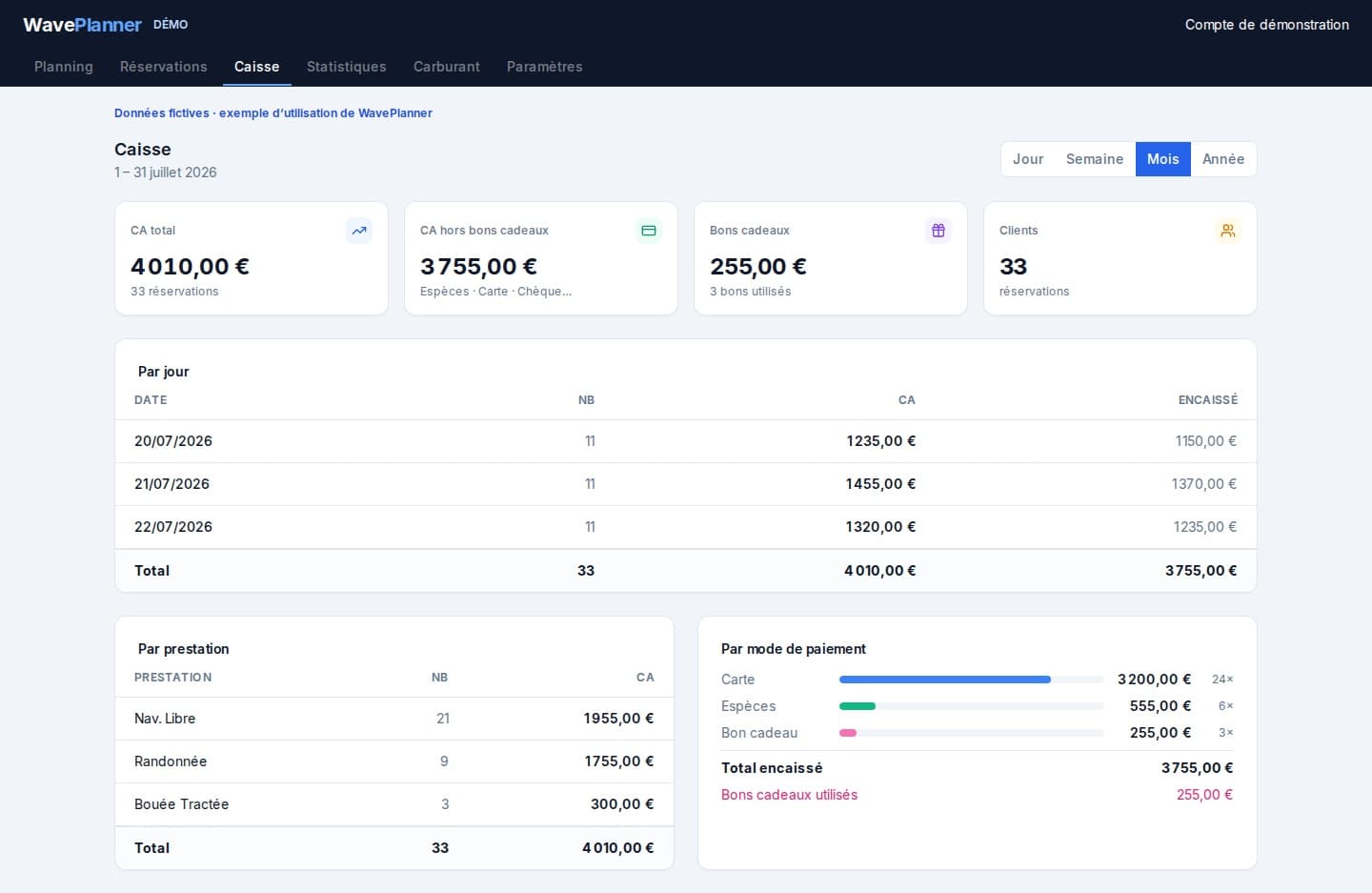
Recorded payments contribute to checkout totals and exports.
Activity statistics
Review recorded revenue by activity and period when preparing the next part of the season.
A guided outing, from enquiry to the next departure
Illustrative planning exercise, not a customer result or a staffing recommendation: a guest asks for a guided jet-ski outing while another group uses a boat for a towed activity. Apply your own operating rules, instructor requirements and local conditions.
Record the request before promising a time
Confirm the activity, preferred departure, number of jet skis and contact details. A phone or email enquiry is not yet a confirmed slot. Public online booking is limited to an authorised pilot during the private beta.
Check the whole resource window
Review available jet skis, the configured instructor group, activity duration and turnaround margin. Check the boat and instructor needed for the towed activity separately. For example, if the chosen jet skis return at 10:00 and your configured turnaround is 15 minutes, assess the next departure from 10:15, not 10:00; weather and local operating constraints may require more time.
Confirm the departure and share the plan
After checking availability, record the agreed outing in the schedule and confirm it with the guest. Staff and instructors use their assigned access to consult the same planning view. A connection is needed to synchronise changes; automatic attendance SMS reminders are paused.
Reconcile the return before the next group
Review the next departure against the actual return and your operating constraints. Record payments and refuels, then use the payment and fuel views pictured above to reconcile the day. Estimated fuel levels do not replace physical checks.
Prepare your access
Describe your operation
Tell us about your guided activities and organisation to discuss private beta access.
Confirm the scope
Check current features and conditions before preparing your configuration.
Test a representative day
Once invited, use your real activities and resources to evaluate the workflow.
Private beta conditions
Access is limited to invited operators. Review the displayed pricing and confirm the available scope for your operation before committing.
View pricing and conditions →Frequently asked questions
Can every centre accept online bookings immediately?
No. WavePlanner is in private beta, and public online booking is limited to an authorised pilot. Discuss your operation before requesting access. The example above explains how to plan an enquiry; it does not promise public booking access or automated customer messages.
Does WavePlanner fit every watersports centre?
Not automatically. Guided jet-ski operations are the core focus. Describe your activities and resources to evaluate complementary uses.
Are tide settings compulsory?
No. Tide constraints are relevant only to some locations and activities.
Can instructors view the schedule?
Team roles support staff or read-only access according to the permissions assigned.
What is available during the private beta?
Access is by invitation. Public online booking is limited to an authorised pilot, not generally available to every operator. Automatic attendance SMS reminders are paused. A connection is needed to synchronise devices.
See also
Check the fit for your watersports centre
Private beta · invitation only · no public registration